options-class__intro-header
options-key__id
options-key__margin-top
options-key__margin-bottom
component-class__intro-header-container-header-image

component-class__intro-header-container-country-icon

PL
Registration for toll in Poland
Register in 4 simple steps
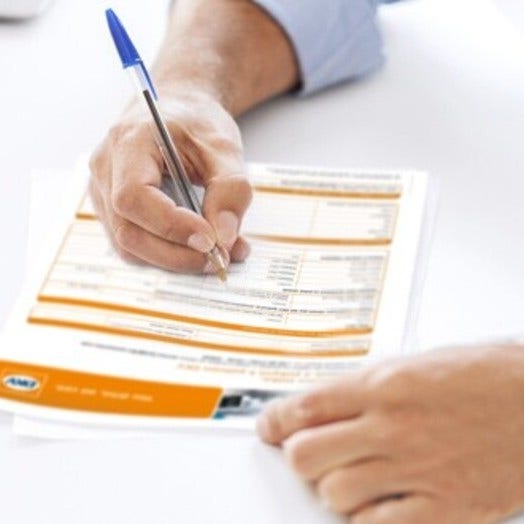
1. Fill out the customer contract
Post-Pay
{{"link": "/content/dam/dkv/assets/documents/maut/viatoll_umowa_user_contract_postpay_en_1.pdf", "linkStyle": "download", "linkTitle": "Customer contract with help fields", "linkType": "file", "aria-label": "Customer contract with help fields", "linkLabel": "Customer contract with help fields", "target": "_blank"}} (PDF)
Pre-Pay
{{"link": "/content/dam/dkv/assets/documents/maut/viatoll_umowa_user_contract_prepay_en.pdf", "linkStyle": "download", "linkTitle": "Customer contract with help fields", "linkType": "file", "aria-label": "Customer contract with help fields", "linkLabel": "Customer contract with help fields", "target": "_blank"}} (PDF)
If either delivery or pick-up have not been specifically selected, we assume that the viaBOXes will be picked up.

2. Registration of vehicles
{{"link": "/content/dam/dkv/assets/documents/maut/viatoll_list_of_registered_vehicles_en_2021.pdf", "linkStyle": "download", "linkTitle": "Vehicle registration with help fields", "linkType": "file", "aria-label": "Vehicle registration with help fields", "linkLabel": "Vehicle registration with help fields", "target": "_blank"}} (PDF)
{{"link": "/content/dam/dkv/assets/documents/maut/toll_pl_vehicle-paper_de.pdf", "linkStyle": "download", "linkTitle": "Interpretation of the vehicle papers", "linkType": "file", "aria-label": "Interpretation of the vehicle papers", "linkLabel": "Interpretation of the vehicle papers", "target": "_blank"}} (PDF)
The following overview can be used to determine the vehicle category:
{{"link": "/content/dam/dkv/assets/documents/maut/toll_vehicle-categories_en.pdf", "linkStyle": "download", "linkTitle": "Overview of vehicle categories", "linkType": "file", "aria-label": "Overview of vehicle categories", "linkLabel": "Overview of vehicle categories", "target": "_blank"}} (PDF)

3. Add important documents
Assemble and include additional documentation:
- Copy of commercial register printout/ business registration
- Proof of VAT ID, if not included in the commercial register printout.
- Copy of the national ID card of the person signing the contract
- per vehicle, a copy of the vehicle registration certificate/ title
- Proof of emission class, if not specified on the vehicle registration certificate (e.g. CEMT licence).
- {{"link": "/content/dam/dkv/assets/documents/maut/viatoll_power_of_attorney_en.pdf", "linkStyle": "download", "linkTitle": "Power of attorney with help fields ", "linkType": "file", "aria-label": "Power of attorney with help fields ", "linkLabel": "Power of attorney with help fields ", "target": "_blank"}}(PDF)
(Fill out only if: The company owner/general manager is not ordering or picking up the box in person)
Please pay attention when printing the registration documents to ensure that no symbols from the fill out guide are shown on the registration documents.

4. Original documents
Post-Pay
Please send your order to your personal DKV representative. If you don´t have the contact details ready to hand, you will find them at your responsible subsidiary .
Pre-Pay
Please submit the complete documentation to a distribution or contact point
Attention: The same process applies to non-EU customers, yet added by the following requirements
Choose between Post-Pay and Pre-Pay contract
-
Fill out the vehicle list!
-
Assemble all the above-mentioned documents and fill out the power of attorney for non-EU customers (if the company owner/general manager is not ordering or picking up the viaBOX in person).
-
Power of {{"link": "/content/dam/dkv/assets/documents/maut/viatoll_power_of_attorney_non_eu_en.pdf", "linkStyle": "download", "linkTitle": "attorney for non-EU customers", "linkType": "file", "aria-label": "attorney for non-EU customers", "linkLabel": "attorney for non-EU customers", "target": "_blank"}} (PDF)
- Post-Pay: Send all original documents to the DKV address indicated above!
- Pre-Pay: Please submit the complete documentation to a distribution or contact point!
{{"link": "/content/dam/dkv/assets/documents/maut/maut_polen_checkliste_en_1.pdf", "linkStyle": "download", "linkTitle": "Use the Checklist", "linkType": "file", "aria-label": "Use the Checklist", "linkLabel": "Use the Checklist", "target": "_blank"}} (PDF) to verify that your registration is complete and correct.
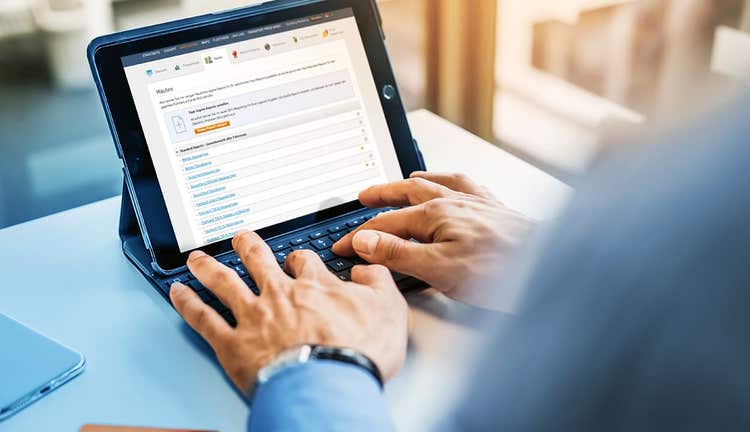
Billing: Pre-Pay- or Post-Pay Procedure
options-class__checkerboard
options-key__id
options-key__background-color
bg-grey
options-key__margin-top
options-key__margin-bottom
options-class__checkerboard-item
options-key__class-checkerboard-item-default
options-key__toggle-image-position-left
true
options-key__toggle-animation-enabled
component-class__checkerboard-item-container-text
component-separator-start_content-top
Pre-Pay Procedure
In the pre-pay procedure, a Pre-Pay Box is purchased using the DKV CARD. This box is loaded with a toll credit prior to departure. Drivers can do this at any viaBOX distribution point in Poland.
Post-Pay Procedure
In the post-pay procedure, the toll network records the kilometres actually covered. The charges are settled afterwards, simply and conveniently, through your viaBOX (On-Board-Unit) – so there is no need to constantly load credit.
component-separator-end_content-top
component-separator-start_content-bottom
component-separator-start_button
component-separator-end_button
component-separator-end_content-bottom
component-class__checkerboard-item-container-image
image
options-class__checkerboard-item
options-key__class-checkerboard-item-default
options-key__toggle-image-position-left
false
options-key__toggle-animation-enabled
component-class__checkerboard-item-container-text
component-separator-start_content-top
OBU from viaToll
- This On-Board-Unit can be obtained on payment of a deposit of ca. € 30.- (120 PLN).
- The deposit is reimbursed when the OBU is properly returned. The deposit can be paid with the DKV Card!
- To pick up the viaBoxes, you will need the vehicle license plate number, original copies of the vehicle papers or copies of these, provided with an additional power of attorney.
component-separator-end_content-top
component-separator-start_content-bottom
component-separator-start_button
component-separator-end_button
component-separator-end_content-bottom
component-class__checkerboard-item-container-image
image
Return of OBUs
Additional orders of viaBOXes
For additional orders of viaBOXes the following forms must be completed:
- {{"link": "/content/dam/dkv/assets/documents/maut/toll_vehicle-list_en.pdf", "linkStyle": "download", "linkTitle": "vehicle list ", "linkType": "file", "aria-label": "vehicle list ", "linkLabel": "vehicle list ", "target": "_blank"}}(PDF)
- {{"link": "/content/dam/dkv/assets/documents/maut/maut_pl_annex_to_user_contract_en.pdf", "linkStyle": "download", "linkTitle": "Change application", "linkType": "file", "aria-label": "Change application", "linkLabel": "Change application", "target": "_blank"}} (PDF)
You can either:
- Send back the vehicle list (please sign each page). The change application form does not have to be completed or
- Complete and sign the change application form. The vehicle lists do not have to be signed. This is of particular interest to customers who would like to make changes to registrations of many vehicles
In addition, the following documents are required:
- Per vehicle, a copy of the vehicle registration certificate/ title
- Proof of emission class, if not specified on the vehicle registration certificate (e.g. CEMT licence).
Please send your order to your personal DKV representative. If you don´t have the contact details ready to hand, you will find them at your {{"link": "/uk/en/contact/dkv-locations", "linkStyle": "default", "linkTitle": "responsible subsidiary", "linkType": "internal", "aria-label": "responsible subsidiary", "linkLabel": "responsible subsidiary", "target": "_self"}}.
Please note
The customer contract must be completed in duplicate and signed in all required fields. One version is sent to DKV, the other version is for your own records. Do not hesitate to contact your own DKV branch in case of questions! The general terms and conditions and further information can be found at: {{"link": "http://www.viatoll.pl", "linkStyle": "default", "linkTitle": "http://www.viatoll.pl", "linkType": "external", "aria-label": "http://www.viatoll.pl", "linkLabel": "http://www.viatoll.pl", "target": "_blank"}}
options-class__interactive-form
options-key__id
dkv_contact
options-key__toggle-column-seperator
options-key__background-color
bg-blue-dark
options-key__margin-top
margin-top-2xl
options-key__margin-bottom
margin-bottom-2xl
options-class__interactive-form-text-item
options-key__class-interactive-form-text-item
component-class__interactive-form-text-item-title
Contact
component-class__interactive-form-text-item-text
Would you also like to benefit from the DKV advantages?
We will be pleased to call you back.