Overview of all AEM modules
text-size-headline-h2
Hier geht es zu Seite 2 Hier geht es zu Seite3
margin-top-3xl
HERO - Module
text-size-headline-h2
The HERO module forms the header section on each page. The Hero Model 3 is the standard HERO template. This module allows you to include an image, the main headline with a subheading, and buttons.
margin-top-2xl
margin-bottom-2xl
text-size-headline-h2
Hero Level 3 - Standard Hero
hero-level_3
false
DKV Mobility
You drive, we care.
true
We offer you fuel cards and EV charge cards as well as smart solutions for tolls, fleet management, and electromobility. Our products and services keep you mobile.
Straße Kreuzung Verkehr Traffic
/uk/en/shop
To the shop
cta
https://my.dkv-mobility.com/dashboard
_blank
To the cockpit
cta-white-career
cta
cta
text-size-headline-h2
Hero Level 1
hero-level_1
false
DKV Mobility
You drive, we care.
true
We offer you fuel cards and EV charge cards as well as smart solutions for tolls, fleet management, and electromobility. Our products and services keep you mobile.
Straße Kreuzung Verkehr Traffic
/uk/en/shop
To the shop
cta
https://my.dkv-mobility.com/dashboard
_blank
To the cockpit
cta-white-career
cta
cta
false
text-size-headline-h2
Hero Level 2
hero-level_2
false
DKV Mobility
You drive, we care.
true
We offer you fuel cards and EV charge cards as well as smart solutions for tolls, fleet management, and electromobility. Our products and services keep you mobile.
Straße Kreuzung Verkehr Traffic
/uk/en/shop
To the shop
cta
https://my.dkv-mobility.com/dashboard
_blank
To the cockpit
cta-white-career
cta
cta
false
text-size-headline-h2
Hero Level 4
hero-level_4
false
DKV Mobility
You drive, we care.
true
We offer you fuel cards and EV charge cards as well as smart solutions for tolls, fleet management, and electromobility. Our products and services keep you mobile.
Straße Kreuzung Verkehr Traffic
/uk/en/shop
To the shop
cta
https://my.dkv-mobility.com/dashboard
_blank
To the cockpit
cta-white-career
cta
cta
false
2er- 4er- 6er - Modul
text-size-headline-h2
Using the 2-item, 4-item or 6-item module, individual containers with a grey background can be displayed. These can be added using the Item Container element.
margin-top-2xl
Headline text can be added
marginTop
marginBottom
margin-bottom-3xl
1. Container (Headline Text)
1. Container (Text)
2. Container (Headline Text)
2. Container (Text)
3. Container (Headline Text)
3. Container (Text)
4. Container (Headline Text)
4. Container (Text)
5. Container (Headline Text)
5. Container (Text)
6. Container (Headline Text)
6. Container (Text)
Accordion - Modul
text-size-headline-h2
The Accordion module is an FAQ component that allows questions to be displayed clearly. Clicking the plus icon expands the section to reveal the corresponding answer.
margin-top-2xl
false
false

Headline Text

Subtitle Text
FAQ – Here’s the question
Text – next to the image – in most cases, no image is actually used
Text - The answer is here
A link can be added
/uk/en/e-mobility/charging-e-vehicles/charging-on-the-road
FAQ – Here’s the question
Text – The answer is here (example without image) – typical
FAQ – Here’s the question
Text – The answer is here (example without image) – typical
Banner - Modul
text-size-headline-h2
The banner module spans the full width of the page and has a dark blue background by default. It contains a headline, a subheading and a button that can be linked to a web address. It is important to keep the text short and to the point.
margin-top-2xl
Benefit - Modul
text-size-headline-h2
The Benefit module allows you to display multiple containers with a grey background. These are arranged in pairs side by side and can be expanded downwards as required.
margin-top-3xl
benefit-image-item
Headline Text (Benefit Image Item)
benefit-teaser-item
Headline Text (Benefit Teaser Item)
benefit-text-item
Headline Text (Benefit Text Item)
Text
Benefits - Modul
text-size-headline-h2

The Benefits module allows for the display of individual containers, with a maximum of three elements shown side by side.

The subordinate modules, referred to as “Benefits Items,” include an interactive feature: when hovering over them, the elements flip like a card to reveal their reverse side.

The front side can display an image along with a short headline, while the back side provides a more detailed description.

margin-top-2xl
id
headline

Modul Headline

marginTop
margin-top-2xl
marginBottom
margin-bottom-2xl
items
headline
Compensation
image
imageAlt
Image Alt Text
text
  • Compensation in line with the market
  • Bonus scheme depending on your function
  • Attractive corporate-pension plan (30% employer-financed contribution)

inner-block-benefits-item
headline
New work
image
imageAlt
Image Alt Text
text
  • Do up to 40% of your work from anywhere in Germany
  • Workation: Do up to 20 days/year of your work in other European countries
  • State-of-the-art workplaces & technology
  • Natural retreats
  • Parent-child offices
  • Unpaid Leave
inner-block-benefits-item
headline
Health
image
imageAlt
Image Alt Text
text
  • Employee counseling and family service
  • Health checks (e.g. skin cancer screening)
  • Health days & events
  • Cooperation with various fitness studios
  • Subsidized canteen
inner-block-benefits-item
headline
Learning & development
image
imageAlt
Image Alt Text
text
  • Learning on site, digitally and in programs
  • Individual learning (e.g. with LinkedIn Learning)
  • Award-winning "Who knows, teaches" initiatives
  • High potential programs and offerings for all career paths

inner-block-benefits-item
headline
Mobility
image
imageAlt
Image Alt Text
text
  • DKV Card: Discounts through the DKV Card Climate +Charge for up to 2 private vehicles.
  • Leasing subsidy for two JobBikes
  • Parking spaces and charging options for e-cars and e-bikes in our underground parking garage
  • Subsidized job ticket
inner-block-benefits-item
headline
And much more
image
imageAlt
Image Alt Text
text
  • 30 vacation days + special vacation days
  • Events (e.g. summer party)
  • Corporate volunteering (e.g. Community Day)
  • Barista bar
  • Shopping benefits
inner-block-benefits-item
Blog Press Release - Modul
text-size-headline-h2
Das Blog Press Release - Modul ist eine Übersicht für Blogbeiträge.
margin-top-2xl

options-class__blog-press-release

options-key__id

options-key__data-blog-item-categories

options-key__data-blog-item-button-label

Read More

component-class__blog-press-release-container-headline

Headline Text

component-class__blog-press-release-container-list

component-class__blog-press-release-container-pagination

component-separator-start_button

cta-white-blue-border

Show More

component-separator-end_button

Blog Teaser - Modul
text-size-headline-h2
Das Blog Teaser - Modul
margin-top-2xl

options-class__blog-teaser

options-key__toggle-apply-slider

false

options-key__data-blog-item-categories

options-key__data-blog-item-button-label

Read More

options-key__data-items-to-show

4

options-key__toggle-enable-pagination

true

options-key__data-items-per-page

5

options-key__id

options-key__background-color

component-class__blog-teaser-container-headline

Blog Teaser - Blog Teaser

component-class__blog-teaser-container-list
component-class__blog-teaser-container-pagination
Card - Modul
text-size-headline-h2

The Benefits module allows for the display of individual containers, with a maximum of three elements shown side by side.

The subordinate modules, referred to as “Benefits Items,” include an interactive feature: when hovering over them, the elements flip like a card to reveal their reverse side.

The front side can display an image along with a short headline, while the back side provides a more detailed description.

margin-top-2xl
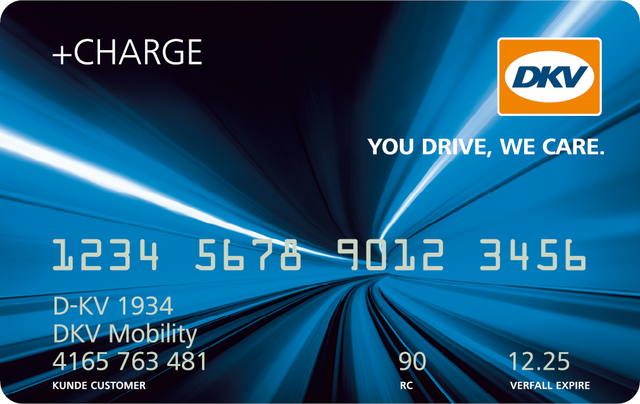
DKV Card +Charge
The hybrid card.
Fuel or charge – keep your options open.

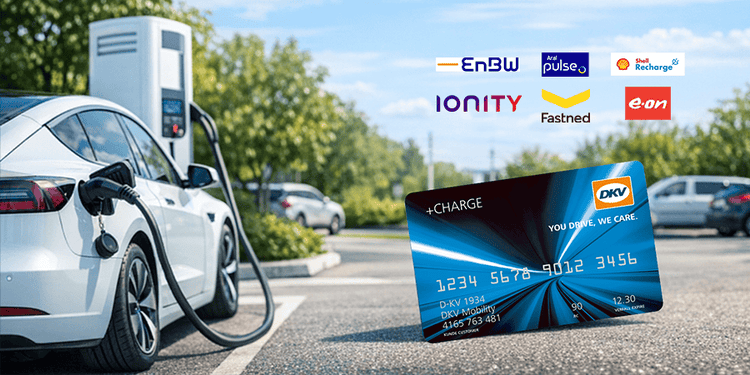
With the DKV Card +Charge, you can not only charge your electric vehicles quickly and conveniently, you can also refuel conventionally and cash free in Europe's and Great Britain's largest network of independent fuel and service stations.

{{"link": "https://my.dkv-mobility.com/eshop/gb/gb", "linkStyle": "cta", "linkTitle": "Order online", "linkType": "external", "aria-label": "Order online", "linkLabel": "Order online", "target": "_blank"}}
[]
DKV CARD +CHARGE
true
margin-top-2xl
margin-bottom-2xl
Cards - Modul
text-size-headline-h2

The Benefits module allows for the display of individual containers, with a maximum of three elements shown side by side.

The subordinate modules, referred to as “Benefits Items,” include an interactive feature: when hovering over them, the elements flip like a card to reveal their reverse side.

The front side can display an image along with a short headline, while the back side provides a more detailed description.

margin-top-2xl
Titel
Card titel
Intro Text
Text
edsfWEFWEF,ERFAWEF,ERFAERF
ALT
true
true
Career Image Text - Modul
text-size-headline-h2

The Benefits module allows for the display of individual containers, with a maximum of three elements shown side by side.

The subordinate modules, referred to as “Benefits Items,” include an interactive feature: when hovering over them, the elements flip like a card to reveal their reverse side.

The front side can display an image along with a short headline, while the back side provides a more detailed description.

margin-top-2xl
Image alt text
false

Social Stories

Our company comes alive through our employees. Together we take care of our communities, celebrate parties and enjoy successes and awards.

Read social stories
/uk/en/career/our-stories/social-stories
cta
Career News - Modul
text-size-headline-h2

The Benefits module allows for the display of individual containers, with a maximum of three elements shown side by side.

The subordinate modules, referred to as “Benefits Items,” include an interactive feature: when hovering over them, the elements flip like a card to reveal their reverse side.

The front side can display an image along with a short headline, while the back side provides a more detailed description.

margin-top-2xl

options-class__career-news

options-key__toggle-with-sharing

false

component-class__career-news-container-sharing

2025-04-26T10:30:00.000Z

Share

sdkljfnsdf@asdfklmsdf.com

component-separator-start_downloadContent

component-separator-end_downloadContent

component-class__career-news-container-image

Title Top placeholder: Cockpit Ihr zentrales Kundenkonto

Image alt text...

component-class__career-news-container-text

Text Top placeholder: Als Blindtext wird Text bezeichnet, den man bei der Gestaltung von Publikationen verwendet, wenn der eigentliche Text noch nicht vorliegt. Als Blindtext wird Text bezeichnet, den man bei der Gestaltung von Publikationen verwendet, wenn der eigentliche Text noch nicht vorliegt.

component-separator-start_readMoreButton

cta-white-blue-border

Read more

component-separator-end_readMoreButton

Career Teaser List - Modul
text-size-headline-h2

The Benefits module allows for the display of individual containers, with a maximum of three elements shown side by side.

The subordinate modules, referred to as “Benefits Items,” include an interactive feature: when hovering over them, the elements flip like a card to reveal their reverse side.

The front side can display an image along with a short headline, while the back side provides a more detailed description.

margin-top-2xl

options-class__career-teaser-list

options-key__id

options-key__background-color

component-class__career-teaser-list-container-list

component-class__career-teaser-list-container-pagination

component-separator-start_button

cta-white-blue-border

Show More

component-separator-end_button

Career Teaser - Modul
text-size-headline-h2

The Benefits module allows for the display of individual containers, with a maximum of three elements shown side by side.

The subordinate modules, referred to as “Benefits Items,” include an interactive feature: when hovering over them, the elements flip like a card to reveal their reverse side.

The front side can display an image along with a short headline, while the back side provides a more detailed description.

margin-top-2xl

options-class__career-teaser

options-key__id

options-key__toggle-apply-slider

false

component-class__career-teaser-container-headline

Career Teaser - Career Teaser Slider H2

component-class__career-teaser-container-list
component-class__career-teaser-container-pagination
Career Tech Stack List - Modul
text-size-headline-h2

The Benefits module allows for the display of individual containers, with a maximum of three elements shown side by side.

The subordinate modules, referred to as “Benefits Items,” include an interactive feature: when hovering over them, the elements flip like a card to reveal their reverse side.

The front side can display an image along with a short headline, while the back side provides a more detailed description.

margin-top-2xl
id
headline

Our Tech Stack

text
We love technology and speak many languages. We use methods, tools & frameworks that suit us.
marginTop
margin-top-2xl
marginBottom
margin-bottom-2xl
items
link
#
linkStyle
grey
linkLabel
Clojure
inner-block-career-tech-stack-item
link
#
linkStyle
grey
linkLabel
node.JS
inner-block-career-tech-stack-item
link
#
linkStyle
grey
linkLabel
Python
inner-block-career-tech-stack-item
link
#
linkStyle
grey
linkLabel
Go
inner-block-career-tech-stack-item
link
#
linkStyle
grey
linkLabel
Bash
inner-block-career-tech-stack-item
link
#
linkStyle
grey
linkLabel
Scala
inner-block-career-tech-stack-item
link
#
linkStyle
grey
linkLabel
Kotlin
inner-block-career-tech-stack-item
link
#
linkStyle
grey
linkLabel
Kafka
inner-block-career-tech-stack-item
link
#
linkStyle
grey
linkLabel
Javascript
inner-block-career-tech-stack-item
link
#
linkStyle
grey
linkLabel
Java
inner-block-career-tech-stack-item
link
#
linkStyle
grey
linkLabel
Elixir
inner-block-career-tech-stack-item
link
#
linkStyle
grey
linkLabel
Swift
inner-block-career-tech-stack-item
Career Tiles - Modul
text-size-headline-h2

The Benefits module allows for the display of individual containers, with a maximum of three elements shown side by side.

The subordinate modules, referred to as “Benefits Items,” include an interactive feature: when hovering over them, the elements flip like a card to reveal their reverse side.

The front side can display an image along with a short headline, while the back side provides a more detailed description.

margin-top-2xl

Join us

With us, you can get started from day one. Find the job that suits you now!

To the job vacancies

_blank

cta

Tech Heroes

We need your IT superpower - because you take us to the next level.

Create tech now

cta-white-career

Youth Learning

With us you are not just riding shotgun! We look forward to your ideas. Together we will make as much as possible of your potential.

Start now

cta-white-career

Career Two Columns Teaser - Modul
text-size-headline-h2

The Benefits module allows for the display of individual containers, with a maximum of three elements shown side by side.

The subordinate modules, referred to as “Benefits Items,” include an interactive feature: when hovering over them, the elements flip like a card to reveal their reverse side.

The front side can display an image along with a short headline, while the back side provides a more detailed description.

margin-top-2xl

Diversity & Inclusion

Diversity makes us strong. Diversity and an inclusive work environment are fundamental to our success.

Learn more
/uk/en/career/our-stories/diversity
Learn more
cta

Sustainability

We are aware of our responsibility towards the environment and are committed to a sustainable future for mobility.

Learn more
/uk/en/career/sustainability
Learn more
cta
Carousel - Modul
text-size-headline-h2

The Benefits module allows for the display of individual containers, with a maximum of three elements shown side by side.

The subordinate modules, referred to as “Benefits Items,” include an interactive feature: when hovering over them, the elements flip like a card to reveal their reverse side.

The front side can display an image along with a short headline, while the back side provides a more detailed description.

margin-top-2xl
Checkerboard - Modul
text-size-headline-h2

The Benefits module allows for the display of individual containers, with a maximum of three elements shown side by side.

The subordinate modules, referred to as “Benefits Items,” include an interactive feature: when hovering over them, the elements flip like a card to reveal their reverse side.

The front side can display an image along with a short headline, while the back side provides a more detailed description.

margin-top-2xl

options-class__checkerboard

options-key__id

options-key__background-color

options-key__margin-top

options-key__margin-bottom

options-class__checkerboard-item

options-key__class-checkerboard-item-default

options-key__toggle-image-position-left

false

options-key__toggle-animation-enabled

component-class__checkerboard-item-container-text

component-separator-start_content-top

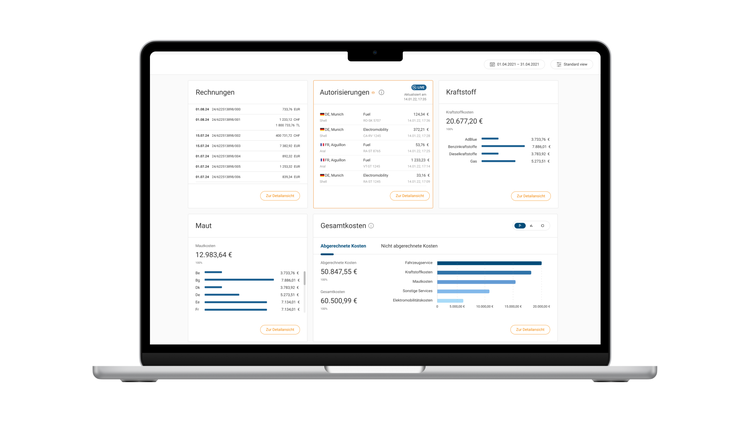
DKV Analytics - More Control, Lower Costs

  • Reduce fuel consumption and operational costs with intelligent analysis.
  • Identify unusual spending patterns early to prevent misuse.
  • Keep a clear view of your fleet's CO₂e emissions.

component-separator-end_content-top

component-separator-start_content-bottom

component-separator-start_button

component-separator-end_button

component-separator-end_content-bottom

component-class__checkerboard-item-container-image

image
DKV Analytics

inner-block-checkerboard-item

options-class__checkerboard-item

options-key__class-checkerboard-item-default

options-key__toggle-image-position-left

true

options-key__toggle-animation-enabled

component-class__checkerboard-item-container-text

component-separator-start_content-top

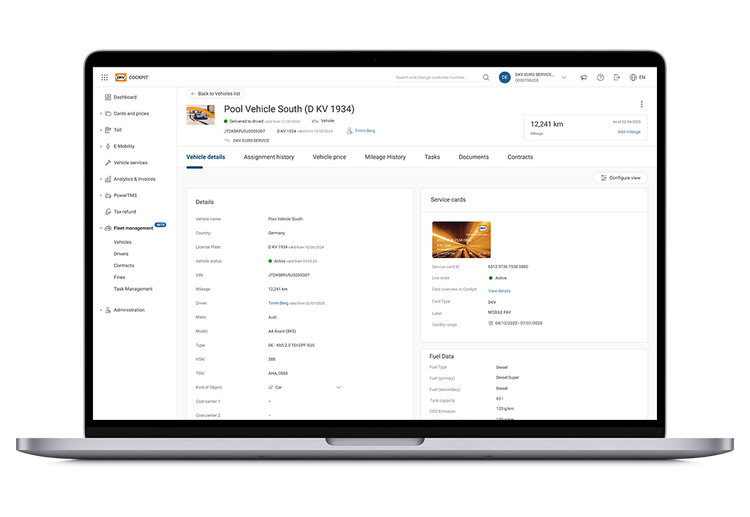
New: DKV FMS - Fleet Management Software

In many businesses, fleet administration isn't a full-time role. It often falls to staff in procurement or admin, who have limited time, specialist knowledge, and face significant risk.

The result: manual processes, scattered data, missed service intervals or MOTs, and a lack of cost transparency.

Our Fleet Management Software puts an end to that!

component-separator-end_content-top

component-separator-start_content-bottom

component-separator-start_button

component-separator-end_button

component-separator-end_content-bottom

component-class__checkerboard-item-container-image

image
DKV FMS

inner-block-checkerboard-item
text-size-headline-h2
Continue to page two
margin-top-2xl