Your own charging infrastructure – Flexible billing, versatile use
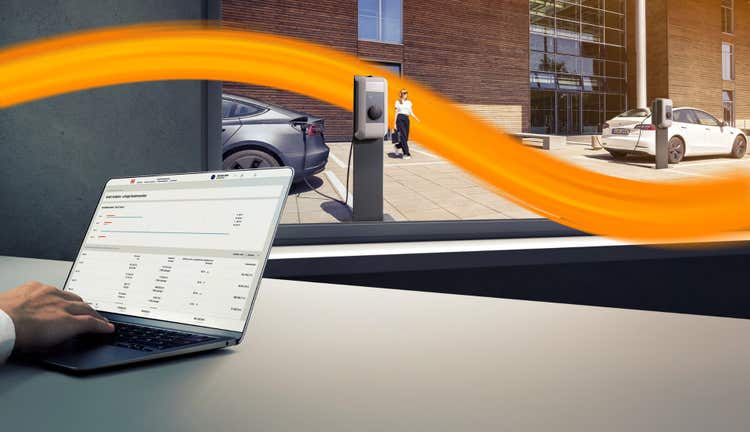
The decision for a charging infrastructure at the company location offers more flexibility for employees, partners, and customers and promotes sustainable mobility.
With DKV Roaming@work, you can fully utilize the potential of your charging infrastructure at the workplace. We offer various billing models that facilitate internal cost allocation and enable controlled public use of your charging points.
Decide for yourself - Your DKV Roaming@work options at a glance
Intracompany | Simple internal cost allocation
Does your company have a DKV customer number? On the invoice, you can see exactly which DKV Card incurred which costs, and you will receive all transactions on a consolidated DKV Mobility invoice as usual. These will be reimbursed to you by our subsidiary Greenflux and can be easily allocated to the corresponding cost center.
Intercompany | Internal cost allocation with multiple DKV Mobility customer numbers
Are there multiple DKV Mobility customer numbers in your company? Even in this case, you can see exactly on the invoice which DKV Card incurred which costs. So nothing changes in the known processes, and you will receive all transactions on the consolidated DKV Mobility invoice as usual. You will subsequently receive a credit to your company account from our subsidiary, Greenflux, with which you enter into an electricity contract.
Public Roaming | Marketing of charging points for external users
Offer your charging points outside your company as well and benefit from additional income. With Public Roaming, you enable controlled public use of your charging infrastructure also for charging cardholders outside your company.
Direct Payment | Charging without DKV Card +Charge
Direct Payment allows employees to charge private electric vehicles at a fixed price at their company location. In doing so, you set the prices and users can conveniently pay for their charging sessions via credit card, Apple Pay, Google Pay, or PayPal. To implement this, you only need to create a Stripe account and attach QR codes to the charging stations. Through the Charge Assist app from Greenflux, employees can activate and pay for the charging points. The charging points can only be used by defined individuals.
How does the setup process of DKV Roaming@work?
headline
1. Contract solution:
description
To use DKV Roaming@work, you need to sign a service contract with DKV Mobility and an electricity supply contract with our subsidiary Greenflux. Greenflux, as part of DKV Mobility, handles the entire backend of our e-mobility offering.
image
stepWidth
true
inner-block-step-by-step-item
headline
2. Setup of the charging points:
description
After the contract is signed, DKV Mobility sets up the charging points for marketing and invoicing. If you want to offer public roaming, DKV Mobility sets the agreed prices and publishes them in the roaming network. These prices become effective after a lead time of 4-6 weeks.
image
stepWidth
true
inner-block-step-by-step-item
headline
3. Direct Payment:
description
If you offer Direct Payment at your charging stations, you will receive an onboarding link to the service provider Stripe, through which ad-hoc charges from private users are processed.
image
stepWidth
true
inner-block-step-by-step-item
headline
4. Activation:
description
After completing all processes, you will receive a final confirmation email. From this point on, all charging stations with the desired options are active.
image
stepWidth
true
inner-block-step-by-step-item
Stripe is a payment service provider, meaning an independent payment service provider through which payments to private end users are processed. Payments are processed directly between the charging station operator and the end customer via Stripe.
What do I need to create a Stripe account?
To set up a Stripe account, you need:
- Your contact details (including e-mail address and mobile phone number for two-factor authentication)
- Information about your company (legal form, company name, commercial register number, court of registration, VAT ID)
- A bank account
- Information about the representation of the company (name, address, date of birth)
You also need to accept the Stripe Connected Account terms. {{"link": "https://stripe.com/de/legal/connect-account", "linkStyle": "default", "linkTitle": "Accept here", "linkType": "external", "aria-label": "Accept here", "linkLabel": "Accept here", "target": "_blank"}}