Frequently Asked Questions (FAQ)
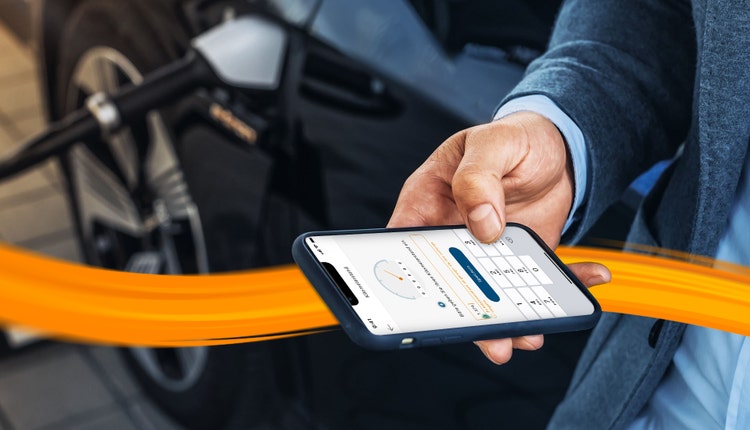
Mileage tracking with the DKV Mobility app - questions and answers
-
The DKV Mobility app has to be installed
- {{"link": "https://play.google.com/store/apps/details?id=com.dkveuroservice.mobileappkit&hl=de≷=US", "linkStyle": "default", "linkTitle": "Download the DKV Mobility app in the Google Play Store", "linkType": "external", "aria-label": "Download the DKV Mobility app in the Google Play Store", "linkLabel": "Download the DKV Mobility app in the Google Play Store", "target": "_blank"}}
- {{"link": "https://apps.apple.com/us/app/dkv-mobility/id392938551", "linkStyle": "default", "linkTitle": "Download the DKV Mobility app in the Apple App Store", "linkType": "external", "aria-label": "Download the DKV Mobility app in the Apple App Store", "linkLabel": "Download the DKV Mobility app in the Apple App Store", "target": "_blank"}}
-
The driver has to be logged in with a username and password
- {{"link": "/content/dam/dkv/assets/documents/digitale-produkte/kilometerstanderfassung/dkv_emob_app_registrierung_en.pdf", "linkStyle": "default", "linkTitle": "Read more about how to obtain login information (PDF)", "linkType": "file", "aria-label": "Read more about how to obtain login information (PDF)", "linkLabel": "Read more about how to obtain login information (PDF)", "target": "_blank"}}
-
The driver needs to have a DKV Card +Charge assigned
- {{"link": "/content/dam/dkv/assets/documents/digitale-produkte/kilometerstanderfassung/how-to-assign-a-dkv-card_en.pdf", "linkStyle": "default", "linkTitle": "Read how to assign DKV Card +Charge (PDF)", "linkType": "file", "aria-label": "Read how to assign DKV Card +Charge (PDF)", "linkLabel": "Read how to assign DKV Card +Charge (PDF)", "target": "_blank"}}
-
Push notifications for e-mobility transactions must be enabled.
- {{"link": "/content/dam/dkv/assets/documents/digitale-produkte/kilometerstanderfassung/how-to-enable-push-notifications_en.pdf", "linkStyle": "default", "linkTitle": "More information on how to activate push notifications (PDF)", "linkType": "file", "aria-label": "More information on how to activate push notifications (PDF)", "linkLabel": "More information on how to activate push notifications (PDF)", "target": "_blank"}}
At the moment, the mileage entry is working for {
{"link": "/uk/en/e-mobility/charging-on-the-road", "linkStyle": "default", "linkTitle": "@road", "linkType": "internal", "aria-label": "@road", "linkLabel": "@road", "target": "_self"}} transactions.
The mileage will be displayed in the transaction history of the DKV Mobility app.
It might take a few minutes until the transaction is displayed in the transaction history.
{{"link": "/uk/en/digital-solutions/customer-portal/dkv-mobility-app", "linkStyle": "cta-blue", "linkTitle": "Further information about the DKV Mobility App", "linkType": "internal", "aria-label": "Further information about the DKV Mobility App", "linkLabel": "Further information about the DKV Mobility App", "target": "_self"}}
{{"link": "/uk/en/e-mobility/charging-on-the-road", "linkStyle": "cta", "linkTitle": "All about DKV Mobility @road", "linkType": "internal", "aria-label": "All about DKV Mobility @road", "linkLabel": "All about DKV Mobility @road", "target": "_self"}}